How PlannedQuest works

From "I don't know" to a realistic next step.

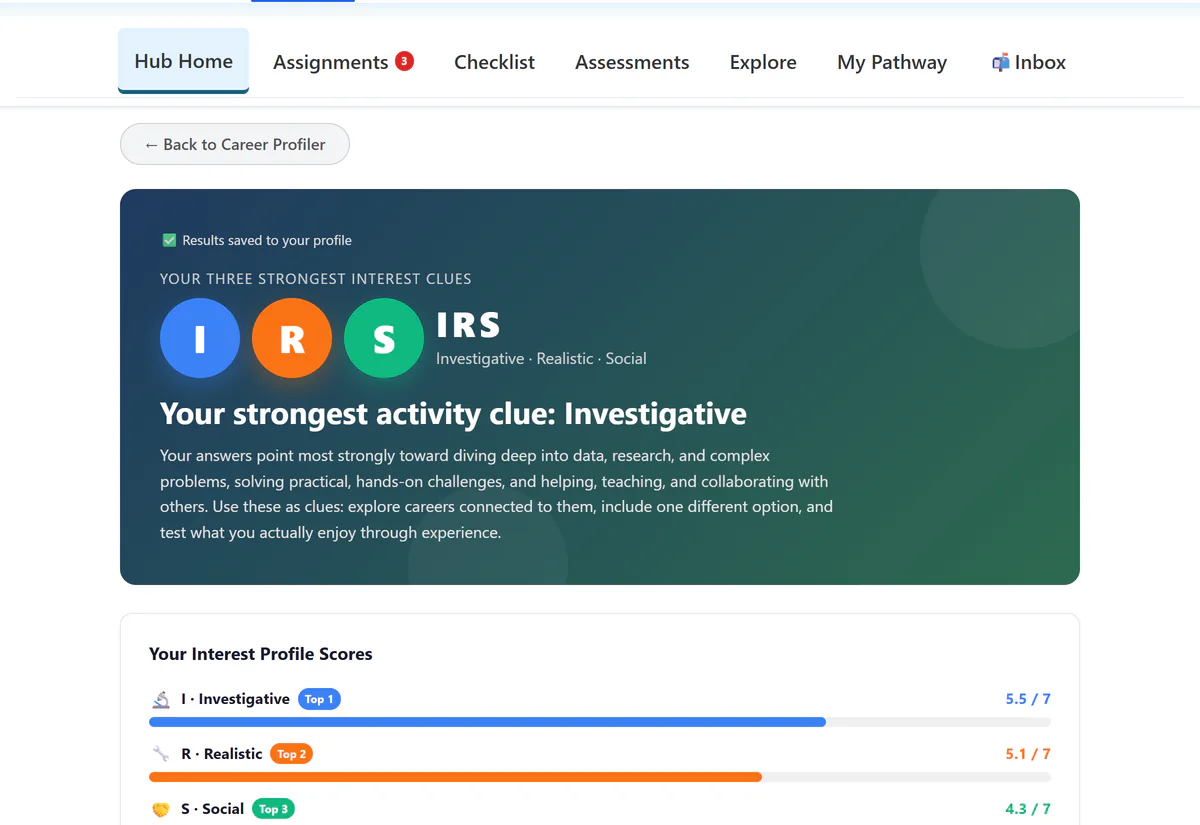
PlannedQuest helps students discover direction, compare real options, build support, plan education and money, apply, and stay connected. Staff can drive the work; families can see how to help.

The promise is simple: a student leaves with a next step they understand and can act on.

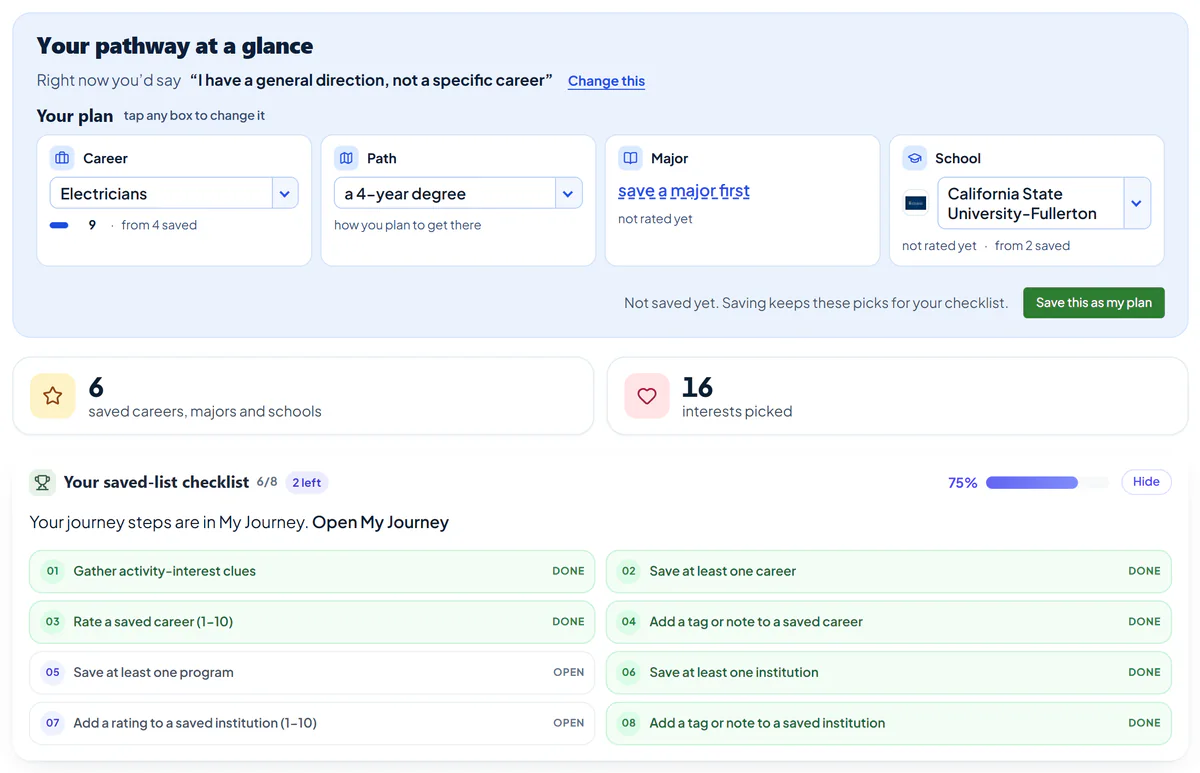
A PlannedQuest-style student pathway view with a guided path and visible next steps.
The student plan carries the direction, the backup, and the next action into every support conversation.
The journey

Six phases that turn exploration into action.

Each phase starts from the student's question and ends with something visible enough for a student, staff member, or family member to use.

1

Discover yourself

What am I drawn to and good at?

A clear read on interests, strengths, and values.

Interest and strengths assessments

2

Explore careers realistically

What work actually fits me?

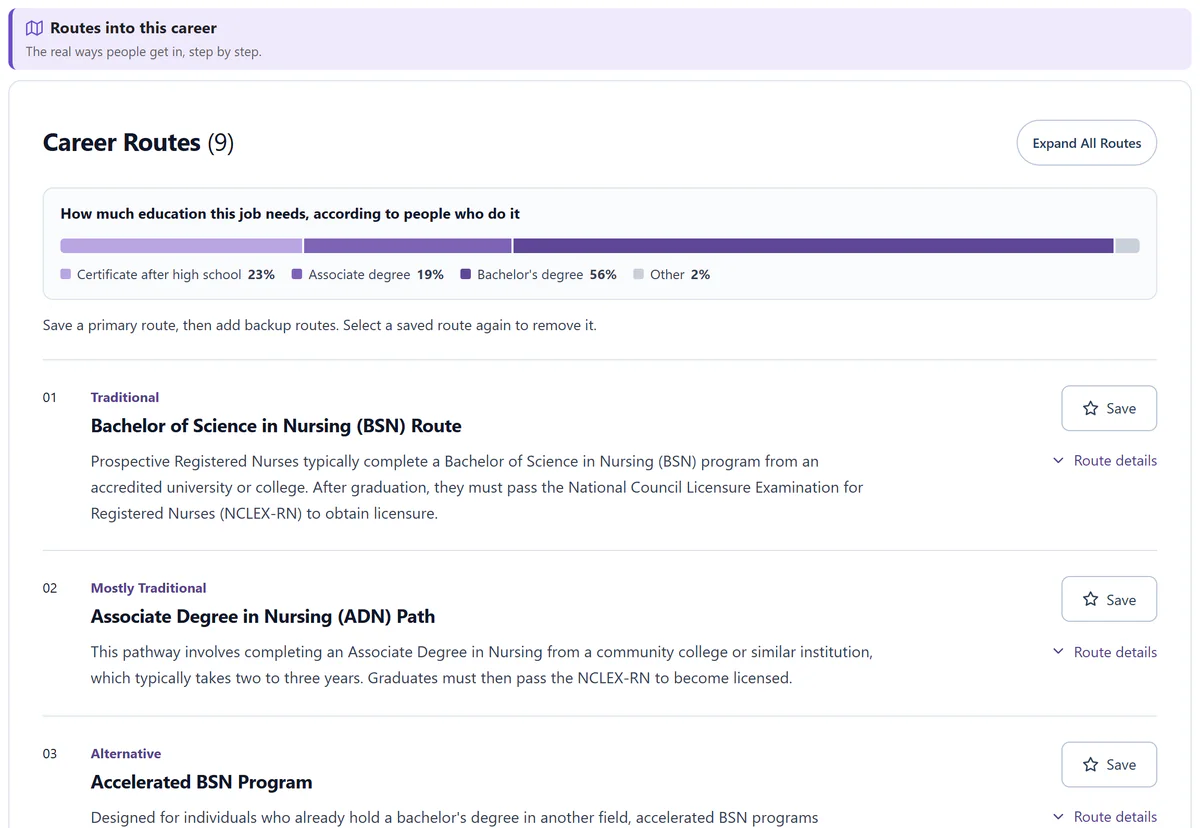
A front-runner and backup direction students understand.

Career explorer with honest reality checks

3

Build your circle

Who's in my corner?

A mapped support network and the gap to fill.

Relationship and support-network builder

4

Plan education and money

What path after high school, and how do I pay?

A realistic postsecondary plan and funding plan.

College, program, real-cost, and aid tools

5

Apply and transition

How do I actually get in and enrolled?

Applications in, aid secured, enrollment moving.

Guided applications and a smart checklist

6

Stay supported and succeed

How do I stay on track?

Enrolled, supported, and ready for term one.

Keep-in-touch and transition support

Always on

The support layers run through every phase.

PlannedQuest is not a one-and-done activity. The same plan keeps the next action, blockers, artifacts, and staff visibility connected as the student moves.

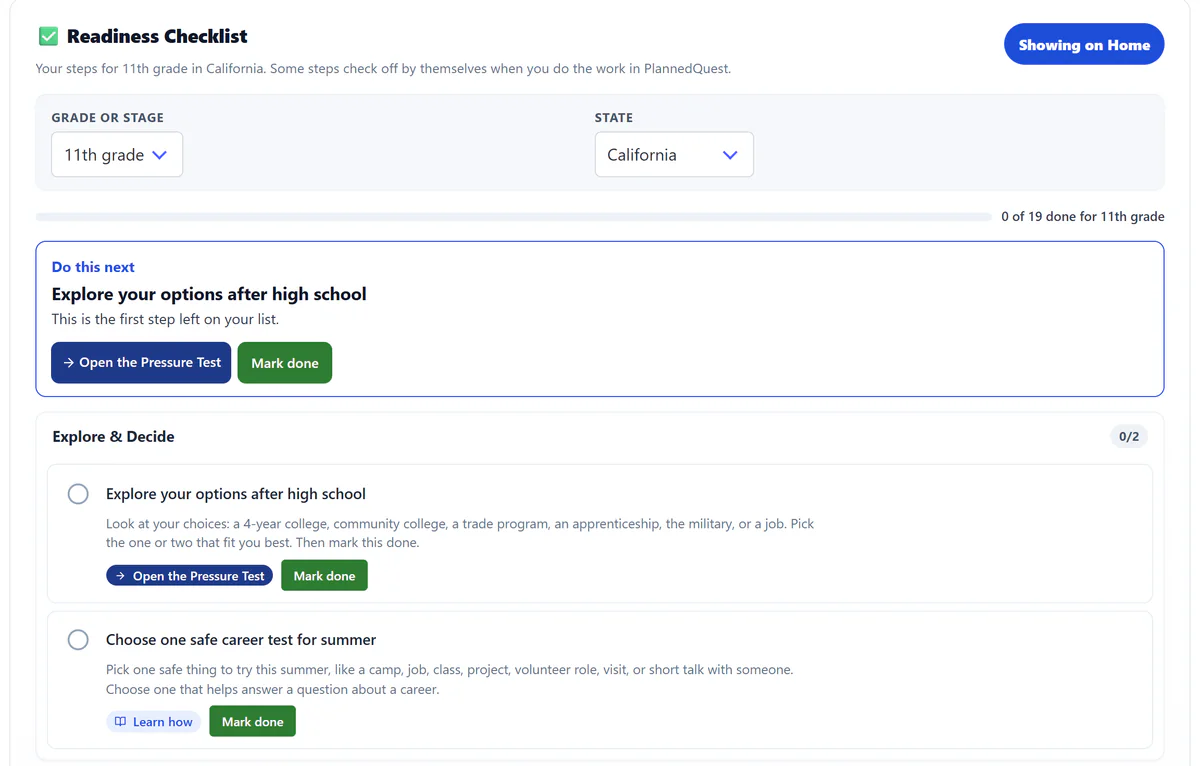
A living to-do list

Every student can see the next right step by grade, deadline, and moment.

Barriers, handled

Money, basic needs, belonging, and other blockers get surfaced early enough to act.

Everything saved in one plan

Decisions, questions, artifacts, and next actions accumulate instead of disappearing.

Built for the classroom

Staff can assign the work, track progress, report on it, and give families visibility.

Role lens

Same student plan. Different role action.

The page starts with the student, then shows how each audience can support the same path without losing the thread.

Student lens

Leave with a path you understand.

Students start with uncertainty, compare realistic options, save a plan, and know what to do next.

StartName interests, strengths, and values.
CompareLook at careers, tradeoffs, costs, and steps.
ActSave the next move with a backup direction.
A student can defend the next step, not just name a dream.
Proof of movement

Every phase ends with a usable outcome.

The goal is not more browsing. It is a visible planning artifact that makes the next conversation and the next action easier.

1

A student can explain what they are drawn to.

2

A student can name a front-runner and a backup.

3

A student can identify who can help and what support is missing.

4

A student can compare a path with the money needed to pursue it.

5

A student can move from planning into applications and enrollment.

6

A student can stay connected after the handoff.

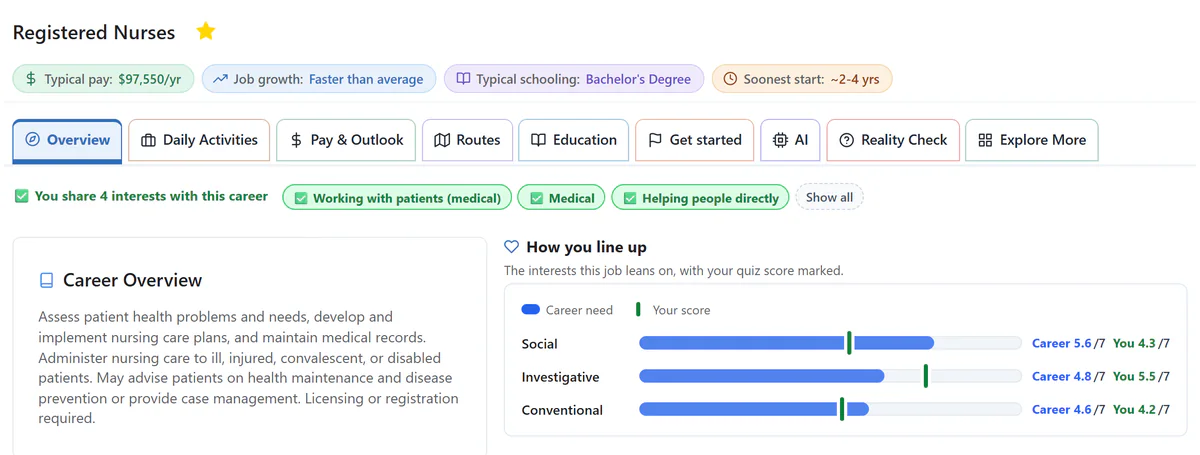
Career fit sections with plain-language bullet points for strong fit and possible mismatch.

Career fit becomes readable

Plain-language fit checks help students decide whether a career deserves deeper effort.

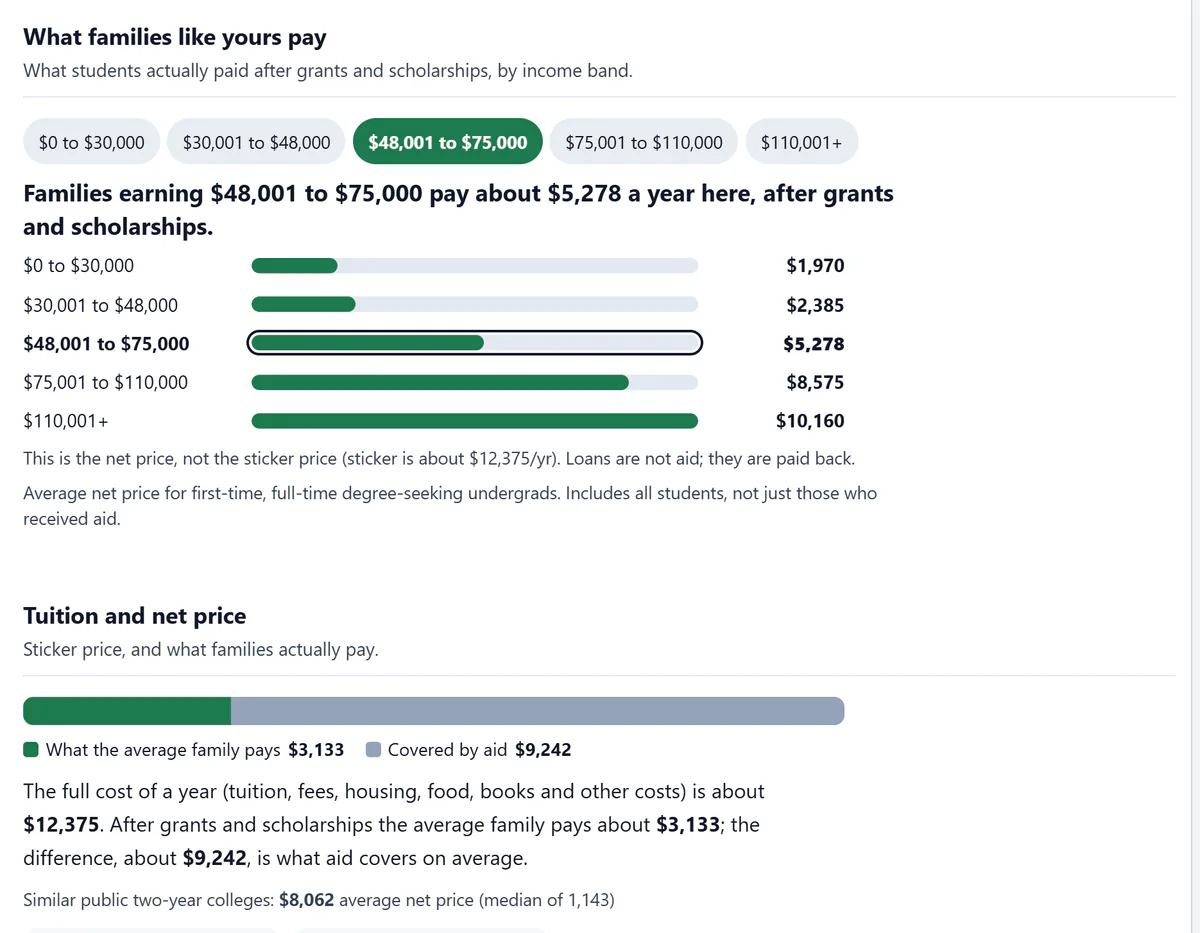
Program data panel with earnings, career growth, financial risk, and employment outcomes.

Education options connect to outcomes

Program and college data sit beside earnings, persistence, and affordability context.

Student pathway illustration with a visible planning journey and milestone path.

The plan stays visible

Students and staff can return to a pathway view instead of rebuilding the story each time.

Bring this into a cohort

Use the journey model as the pitch and the rollout spine.

Show how PlannedQuest moves students from uncertainty to a realistic next step, then choose the first group, workshop, class, or advising cycle where it should land.